
Android Content URIs and AppBlock: Understanding blank.html and Its Purpose
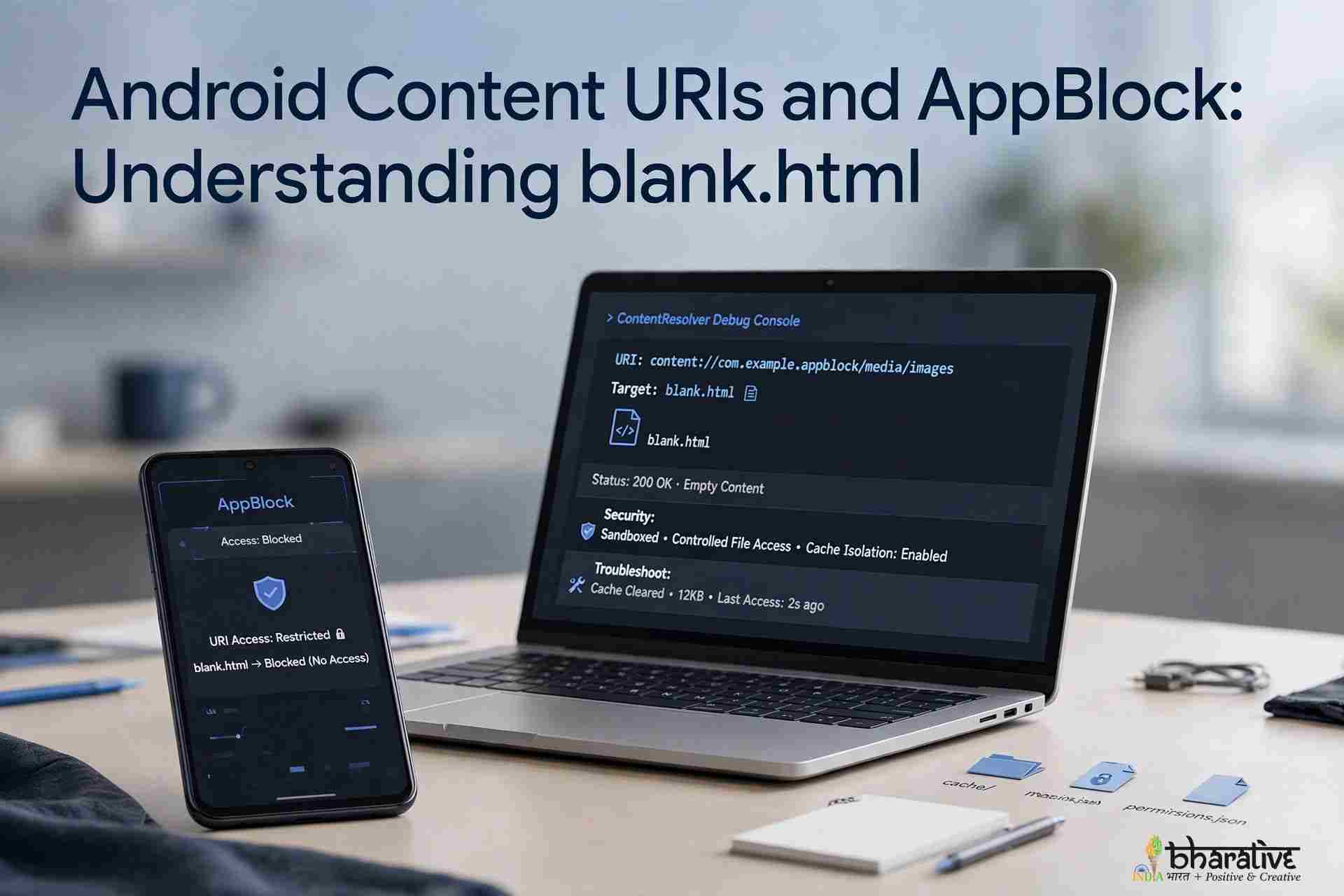
Have you ever noticed a strange-looking address on your Android phone, such as content://cz.mobilesoft.appblock.fileprovider/cache/blank.html? If you have encountered this string in an application log, a file-management utility, or browser-related information, you might wonder what it means and whether it poses a security risk.
At first glance, this address may look unfamiliar because it does not follow the usual format of a website URL or a traditional file path. However, it follows the structure of an Android Content URI (Uniform Resource Identifier), a mechanism that allows applications to identify and access resources through content providers.
The URI contains a reference associated with AppBlock, a productivity application designed to help users block distracting applications and websites. Its blank.html filename suggests a possible connection to a placeholder HTML resource, although the exact contents and behavior cannot be confirmed from the address alone.
In this article, we explain how Android content URIs work, break down the AppBlock URI, explore the role of FileProvider and cache files, and discuss practical ways to assess whether an unfamiliar entry deserves further investigation.
What Is an Android Content URI?
An Android Content URI is an address used to identify data managed by a content provider. Unlike a conventional web address beginning with https://, a content URI typically starts with content://.
Android uses content providers to make selected resources available to applications through defined access mechanisms. These resources may include documents, images, media files, and other application-managed data.
For example, when you select a photograph to attach to an email, the email application may receive a content URI that identifies the selected image rather than receiving its raw filesystem path.
This approach helps applications exchange data without automatically granting unrestricted access to one another’s private storage.
A content URI generally identifies a resource, but access still depends on the provider’s configuration and the permissions granted. Therefore, simply knowing a URI does not necessarily allow another application to open the referenced resource.
How to Decode the AppBlock Content URI
Let’s examine the following address:
content://cz.mobilesoft.appblock.fileprovider/cache/blank.html
Each component provides information about the type of resource being referenced.
1. content:// — The URI Scheme
The content:// prefix identifies the address as an Android content URI.
It tells the system that the resource is accessed through a content provider rather than through a conventional web server. The prefix alone does not indicate whether the resource is safe or harmful.
2. cz.mobilesoft.appblock.fileprovider — The Provider Authority
The authority identifies the content provider responsible for resolving the URI.
In this example, cz.mobilesoft.appblock corresponds to the package-name component associated with AppBlock, while .fileprovider suggests a provider used for file access or sharing.
This naming structure is consistent with an AppBlock-related resource. However, the text of the URI alone cannot verify the authenticity of the installed application or establish the security of every operation involving it.
3. /cache/ — The Resource Path
The /cache/ segment suggests that the referenced resource is associated with a cache location.
Applications commonly use caches to store temporary data that can be recreated when needed. Depending on the application, this may include images, web resources, documents, or other files used during normal operation.
The URI does not reveal the complete physical filesystem location or establish how long the resource will remain available.
4. blank.html — The Referenced HTML File
The final component identifies a resource named blank.html.
The filename suggests an HTML document intended to display a blank or placeholder page. In a website-blocking application, such a resource could potentially support a replacement page when a user attempts to visit a restricted website.
However, the filename alone does not prove what the document contains or precisely how the application uses it.
Taken together, the URI appears to reference an HTML resource associated with AppBlock’s content provider and cache. This is a plausible explanation for its appearance, but the surrounding context is important when investigating the entry.
What Is AppBlock, and Why Might It Use blank.html?
AppBlock is a productivity application designed to help users manage digital distractions by restricting access to selected applications and websites.
Users may configure restrictions for specific periods, such as during work or study sessions. When a restriction is active, the application needs to enforce the configured block and manage the experience presented to the user.
A locally available HTML resource could be used as part of that experience. For example, an application might use a placeholder document rather than displaying a normal website.
Using a local resource can also reduce the need to download a simple page from the internet every time it is required.
The blank.html filename is consistent with this type of use, but its exact purpose cannot be established from the URI alone. Confirming the implementation would require examining the application’s behavior or relevant developer documentation.
How Android FileProvider Helps Manage Access to Files
Android’s FileProvider mechanism allows applications to share selected files using content URIs instead of exposing direct filesystem paths.
This can help developers control access to resources without giving another application unrestricted access to internal storage.
Depending on the provider’s configuration, an application can grant another application permission to read or write a specific resource. The receiving application can then access the permitted item through the URI.
Important benefits include:
- Controlled file sharing: Applications can expose selected resources rather than their entire private storage.
- Permission management: Access can be granted through Android’s permission mechanisms.
- Reduced exposure of file paths: The receiving application generally works with a URI instead of needing the original filesystem path.
- More secure resource access: Properly configured providers help reduce unnecessary exposure of application data.
These protections depend on correct implementation and permission handling. A content URI is not automatically proof of security, and not every URI uses the same access model.
Why Do Android Applications Use Cache Files?
Cache files allow applications to store temporary information that may be needed again. Instead of recreating or downloading the same resource repeatedly, an application can reuse cached data when appropriate.
There are several reasons developers use caching.
Faster Access
A locally available resource may load faster than downloading it again. A small HTML placeholder, for example, may be available without making an additional network request.
Improved Efficiency
Caching can reduce repeated processing and network activity. This can improve responsiveness when an application frequently needs the same resource.
Temporary Storage
Cache data is generally intended to be replaceable. Android may reclaim cached storage under certain conditions, and users can often clear an application’s cache through system settings.
However, clearing cached data does not guarantee that every resource will remain deleted. An application may recreate a file when it is needed again.
Better Resource Management
Separating temporary resources from essential application data helps developers manage storage more efficiently. The actual implementation depends on the application’s design.
Therefore, encountering a reference to a cached file such as blank.html is not inherently suspicious. Its significance depends on the application involved and the circumstances in which it appears.
Is content://cz.mobilesoft.appblock.fileprovider/cache/blank.html a Security Risk?
The URI alone is not evidence of a virus or malware.
Its structure is consistent with an Android content URI associated with AppBlock, and the filename suggests a cached HTML resource. If AppBlock is installed intentionally and the URI appears during expected application activity, that context supports a normal explanation.
Nevertheless, a single URI cannot establish whether an entire application or device is safe.
If you do not recognize AppBlock or notice other unusual activity, take the following precautions:
- Check whether AppBlock is installed on your device.
- Review the application’s developer information and installation source.
- Confirm that you installed the app from a source you trust.
- Review its permissions and any special access it uses.
- Run Google Play Protect or a trusted security scanner if you remain concerned.
- Investigate additional warning signs, such as unexpected redirects, unfamiliar applications, or unexplained permission changes.
Avoid installing unknown cleaning or security utilities simply because a technical-looking URI appears in a log. Verify the application involved before making changes to your device.
Where Might You Encounter This Android Content URI?
The URI may appear in different technical contexts depending on how applications and Android tools handle resources.
Application Logs
Developers and advanced users may see content URIs in diagnostic logs, debugging output, or error reports when an application attempts to access a resource.
Browser or WebView Activity
If a website-blocking application interacts with browser content or an embedded WebView, a URI associated with a placeholder resource might appear in related diagnostic information.
The exact behavior depends on the browser, application implementation, and Android version.
File-Management and Cleaning Utilities
Some utilities display temporary files, cached resources, or references associated with installed applications. A URI appearing in such a tool does not necessarily mean that the resource is a normal file stored in shared storage.
Before deleting anything, determine which application owns the resource and whether the tool is displaying a file, a reference, or a diagnostic entry.
Troubleshooting and Crash Reports
Application errors involving resource access or web content may include URIs in their logs. These references can help developers identify which resource was involved when a problem occurred.
In all these situations, the surrounding context is more informative than the URI’s appearance alone.
Understanding Content URIs Through a Library Analogy
Imagine that your Android phone is a large library containing separate sections for different applications.
Each application manages its own resources, some of which are private. When another application needs access to a particular resource, Android’s content-access system can act like a librarian who checks the request and determines whether access is permitted.
The analogy works as follows:
- The application: Owns or manages a collection of resources.
- The
blank.htmlfile: Represents one item in that collection. - The content provider: Acts like the librarian responsible for handling requests.
- The content URI: Works like a reference identifying the requested resource.
- Android permissions: Help determine whether the requesting application can access it.
The key point is that knowing a resource’s reference does not automatically provide unrestricted access to the application’s entire storage.
Although the real Android permission system is more complex, this analogy illustrates why content URIs are useful for managing access between applications.
AppBlock Features and Their Possible Connection to the URI
AppBlock offers tools designed to help users control when and how they access distracting applications and websites. Depending on the version and configuration, these may include scheduled restrictions, profiles, and stricter blocking options.
A local placeholder resource could be relevant to the experience shown when a website is blocked. However, the URI alone does not establish which feature triggered it or whether every AppBlock feature uses the same mechanism.
For example, a user might configure a restriction for a particular work period. When attempting to access a restricted website, the application may prevent the site from loading or provide a replacement experience.
If the URI appears at that moment, it may be associated with the blocking process. If it appears unexpectedly, reviewing the application’s configuration and the surrounding logs can help establish the connection.
For additional technical background, consult the official Android Developers documentation, which explains Android application development and security mechanisms.
What Should You Do If You Find This URI on Your Phone?
If you encounter the URI and want to investigate it, follow these steps.
Step 1: Check Your Installed Applications
Open Android Settings and review your installed applications. If AppBlock is present, confirm that it is the application you intended to install.
Step 2: Verify the Installation Source
Review the application’s official store listing and developer information. If you do not recognize the installation, investigate before granting additional permissions.
Step 3: Review Permissions and Special Access
Check the permissions granted to the application and any special access it uses. Make sure those permissions correspond to the features you intend to use.
Step 4: Observe When the URI Appears
Consider whether the URI appears while AppBlock is active, when a website is blocked, or only inside a diagnostic log. A clear connection to an expected action provides useful context.
Step 5: Run a Security Check if Necessary
If you notice additional warning signs, use Google Play Protect or a reputable security tool. The URI itself does not establish that malware is present, but broader suspicious behavior deserves investigation.
Step 6: Avoid Deleting Unknown Resources Manually
Do not attempt to remove an application-managed resource simply because its name looks unfamiliar. If you are troubleshooting a problem, start by reviewing the application’s settings and using Android’s standard cache-management options.
If you decide to remove AppBlock, use Android’s normal uninstallation process and follow the application’s instructions for disabling any active restrictions.
Frequently Asked Questions About Android Content URIs and AppBlock
What does content://cz.mobilesoft.appblock.fileprovider/cache/blank.html mean?
It appears to be an Android content URI identifying an HTML resource named blank.html associated with AppBlock’s file provider and cache. The URI’s structure suggests a resource reference rather than a conventional website address.
Is the AppBlock content URI dangerous?
The URI alone is not evidence of malware. If it is associated with an AppBlock installation you recognize and appears during expected activity, that supports a normal explanation. Investigate further if you do not recognize the application or notice other suspicious behavior.
What is the purpose of blank.html?
The filename suggests a blank HTML document or placeholder. In a website-blocking context, such a resource could help provide a replacement when content is restricted. Its exact contents and use cannot be confirmed from the URI alone.
Can another application access the file through this URI?
Access depends on the content provider’s configuration and the permissions granted. A content URI does not automatically give every application unrestricted access to the referenced resource or the owning application’s private storage.
Can I delete the blank.html file?
It is generally better not to delete application-managed cache resources manually. If the resource is temporary, the application may recreate it when needed. If you are troubleshooting a problem, review the app’s settings and use Android’s standard cache-management options.
Why does the URI use content:// instead of https://?
The two schemes serve different purposes. https:// identifies a resource accessed through a secure web connection, while content:// identifies data made available through an Android content provider.
Should I uninstall AppBlock because of this URI?
Not solely because the URI appears. First verify that AppBlock is installed intentionally and behaves as expected. If you do not recognize the application or have other security concerns, review its permissions and investigate its installation source.
Conclusion: A Technical Reference, Not Automatically a Threat
The URI content://cz.mobilesoft.appblock.fileprovider/cache/blank.html may look intimidating if you have never encountered Android’s content-access system before. However, its structure is consistent with a content URI that references an HTML resource associated with AppBlock.
Android content URIs and file providers support controlled resource access, while application caches provide a place for temporary data. These mechanisms are common components of Android application development.
The most important lesson is to evaluate technical references in context. A content URI is not automatically a security threat, and its appearance alone cannot prove that an application is safe or malicious. Verify the installed application, consider when the URI appears, and investigate additional warning signs if necessary.
Understanding these basics makes it easier to distinguish ordinary Android application behavior from activity that genuinely deserves closer attention.
Disclaimer
This article is intended for general informational purposes. The exact behavior of AppBlock, its file provider, and the referenced blank.html resource may vary by app version and configuration. The URI’s structure and filename alone do not confirm the file’s contents, precise purpose, or the security status of the device. Consult official Android documentation and the app developer’s current information when troubleshooting security or application behavior.
You may also like ...