
How Much Does a Laptop Weigh? A Complete Guide to Laptop Weight and Portability
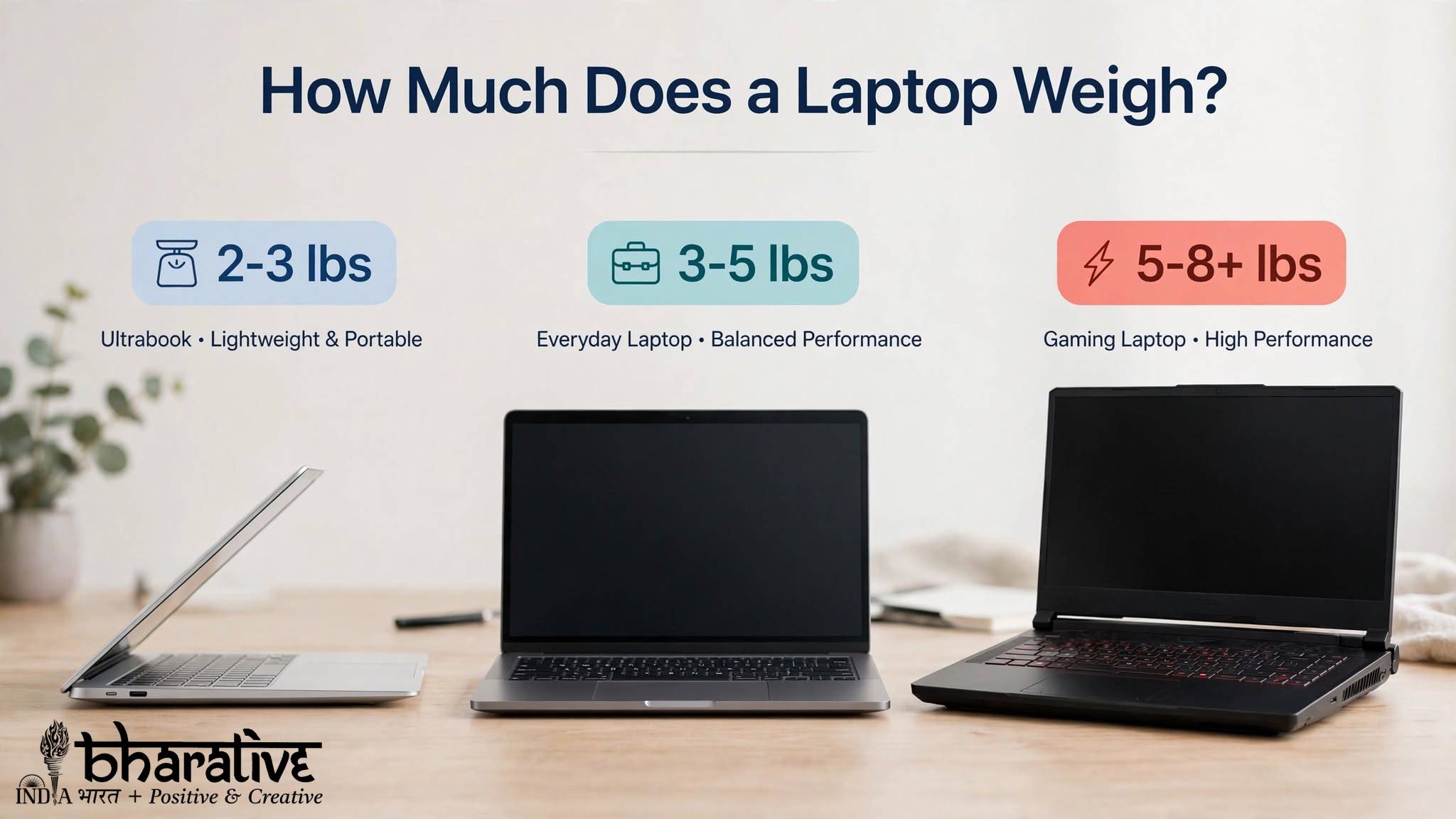
Laptop weight is an important factor when choosing a new device. Whether you are a student carrying a laptop to class, a professional traveling for work, or a gamer looking for powerful hardware, the weight of your laptop can significantly affect your daily experience.
Modern laptops are available in many different sizes and designs. Some ultra-portable models are incredibly light and easy to carry, while larger gaming and workstation laptops can be considerably heavier because of their powerful internal components.
So, how much does a laptop weigh?
Most laptops generally weigh between 2 and 6 pounds, although the exact weight depends on factors such as screen size, battery capacity, materials, cooling systems, and internal hardware.
This guide explains the different laptop weight categories, the factors that affect weight, and how to choose the right laptop based on your needs.
Types of Laptops by Weight
Laptop weight usually falls into several common categories. Understanding these categories can make it easier to choose a device that matches your lifestyle.
1. Ultra-Light Laptops
Ultra-light laptops are designed primarily for portability. These devices are popular among students, travelers, and professionals who regularly carry their computers.
Most lightweight laptops weigh approximately 2 to 3 pounds.
They are usually designed with:
- Compact displays
- Slim bodies
- Lightweight materials
- Efficient processors
- Long battery life
A lightweight laptop can easily fit into a backpack or shoulder bag without adding too much extra weight.
These devices are ideal for everyday activities such as:
- Web browsing
- Writing documents
- Online classes
- Video streaming
- Basic productivity work
The main advantage is convenience. However, extremely lightweight models may have fewer ports or less powerful hardware than larger machines.
2. Standard Laptops
Standard laptops usually provide a balance between portability and performance.
Most models in this category weigh between 3 and 5 pounds.
They are commonly used for:
- Office work
- School assignments
- Web browsing
- Video streaming
- Everyday multitasking
- General productivity
For many people, this weight range offers the best balance. The laptop is still portable enough to carry regularly while providing a comfortable screen size and stronger hardware.
A 13-inch to 15-inch laptop often falls into this category.
3. Gaming and High-Performance Laptops
Gaming laptops and high-performance machines are generally heavier because they contain more powerful components.
These laptops often weigh between 5 and 8 pounds or more.
Their additional weight can come from:
- Dedicated graphics cards
- Advanced cooling systems
- Larger batteries
- Bigger displays
- High-performance processors
- Stronger chassis designs
These devices are designed for demanding activities such as:
- PC gaming
- Video editing
- 3D rendering
- Programming
- Animation
- Professional creative work
Although they are less convenient for daily travel, they provide significantly more power.
Quick Laptop Weight Comparison
| Category | Typical Weight | Best For |
|---|---|---|
| Ultra-Light Laptop | 2–3 lbs | Students, travelers, basic work |
| Standard Laptop | 3–5 lbs | Office work, study, everyday use |
| Gaming Laptop | 5–8+ lbs | Gaming, editing, creative work |
What Factors Affect Laptop Weight?
Several different features determine how heavy or light a laptop will be.
1. Screen Size
Screen size has a major impact on laptop weight.
Smaller laptops usually weigh less because they require smaller displays and more compact frames.
Common laptop sizes include:
- 13-inch
- 14-inch
- 15-inch
- 16-inch
- 17-inch
A larger screen usually means a larger chassis, which can increase the overall weight.
Smaller laptops are generally better for portability, while larger screens can be more comfortable for gaming, editing, and multitasking.
2. Battery Size
Battery capacity can also affect laptop weight.
A larger battery may provide longer usage time, but it can add extra weight to the device.
Manufacturers must balance:
- Battery life
- Performance
- Portability
- Device thickness
Ultra-portable laptops often use efficient components to maintain good battery life without requiring extremely large batteries.
3. Internal Hardware
Powerful components can make laptops heavier.
For example, gaming and workstation laptops may include:
- Dedicated GPUs
- Advanced cooling fans
- Larger heat pipes
- Additional storage drives
- High-performance processors
These components require more space and cooling, which can increase the size and weight of the laptop.
4. Build Materials
The materials used to build a laptop also influence its weight.
Common materials include:
- Aluminum
- Magnesium alloys
- Carbon fiber
- Plastic
Premium lightweight materials can help manufacturers create thinner and lighter laptops while maintaining durability.
However, lightweight materials can sometimes increase the overall cost of the device.
Choosing the Right Laptop Weight for Your Needs
The best laptop weight depends largely on how and where you plan to use it.
For Students
Students usually benefit from lightweight laptops because they may need to carry them between classes.
A laptop weighing under 3.5 pounds is generally convenient for daily use.
Look for:
- Long battery life
- Compact design
- Durable construction
- Comfortable keyboard
- Good portability
For Travelers
Frequent travelers should prioritize portability.
A laptop between 2 and 3 pounds can be much easier to carry through airports, hotels, and public transportation.
Also consider the weight of:
- The charger
- Accessories
- External storage devices
- Laptop bags
The total travel weight can be more important than the laptop weight alone.
For Office and Professional Work
Professionals who mostly work from an office or home can comfortably use a laptop in the 3 to 5-pound range.
This category often provides:
- Larger displays
- Better performance
- More ports
- Comfortable keyboards
It is a practical choice for users who need both portability and productivity.
For Gamers and Creators
Gamers, video editors, and 3D designers may need to accept additional weight in exchange for better performance.
A heavier laptop may provide:
- Powerful graphics
- Faster processors
- Better cooling
- Larger displays
- Higher performance
For these users, performance can be more important than portability.
Popular Laptop Models and Approximate Weight
Different laptop models vary considerably depending on their configuration.
Here are some examples of commonly known laptop categories:
MacBook Air
The MacBook Air is known for its lightweight design and is popular among students and professionals who prioritize portability.
Dell XPS Series
Dell XPS laptops are designed to offer a combination of premium construction, portability, and performance.
HP Spectre Series
The HP Spectre lineup focuses on slim designs and versatile productivity features.
Lenovo Legion
Lenovo Legion laptops are designed for gaming and typically weigh more because of their powerful hardware and cooling systems.
ASUS ROG Series
ASUS ROG laptops are built for gaming and high-performance workloads, with weight varying significantly depending on the model and screen size.
Always check the official specifications of the exact configuration before purchasing because weight can vary between versions.
How to Check Your Laptop’s Weight
If you want to know exactly how much your laptop weighs, there are several easy options.
Check the Manufacturer’s Website
The official product page usually lists the laptop’s weight under the specifications section.
Keep in mind that the listed weight may only include the laptop itself and not the charger.
Check Reviews
Technology reviewers often discuss the real-world weight and portability of laptops.
Reviews can also help you understand whether a laptop feels heavy during everyday use.
Weigh It Yourself
You can use a digital scale to measure your laptop.
For travel purposes, weigh:
- The laptop
- The charger
- Any accessories you regularly carry
This gives you a more realistic idea of the total weight in your bag.
Laptop Weight in Kilograms and Pounds
Laptop specifications may use either kilograms or pounds.
A useful conversion is:
1 kilogram = approximately 2.2 pounds
For example:
- 1 kg = approximately 2.2 lbs
- 1.3 kg = approximately 2.9 lbs
- 1.5 kg = approximately 3.3 lbs
- 2 kg = approximately 4.4 lbs
- 2.5 kg = approximately 5.5 lbs
Knowing both measurements can make it easier to compare laptops from different manufacturers.
Is a 5-Pound Laptop Heavy?
A 5-pound laptop is not extremely heavy, but it may feel uncomfortable if you carry it every day.
For occasional travel or office use, 5 pounds is usually manageable.
However, students and frequent travelers may prefer a lighter device.
If portability is your highest priority, a laptop under 3 pounds may be a better choice.
What Is Considered a Normal Laptop Size?
For most users, laptops with screens between 13 and 15 inches offer a practical balance between screen space and portability.
These laptops commonly weigh around 3 to 5 pounds.
This range works well for:
- Students
- Office workers
- Home users
- General productivity
Is It Safe to Put Weight on a Laptop?
It is generally not recommended to place heavy objects on top of a laptop.
Excess pressure can potentially damage:
- The display
- The keyboard
- The hinges
- Internal components
To protect your device, keep it on a flat surface and avoid stacking heavy objects on it.
How Should You Carry a Heavy Laptop?
A padded backpack designed for laptops is usually the most comfortable option.
For better weight distribution:
- Use both backpack straps
- Choose a padded laptop compartment
- Keep the laptop close to your back
- Avoid carrying unnecessary accessories
A protective laptop sleeve can provide additional protection when carrying the device inside a larger bag.
Conclusion
Laptop weight plays an important role in portability, comfort, and everyday convenience.
Most laptops weigh somewhere between 2 and 6 pounds, but gaming and professional workstations can weigh significantly more.
Ultra-light laptops are ideal for students and travelers, standard laptops offer a good balance for everyday users, and heavier machines provide the performance required for gaming and demanding creative tasks.
Before choosing a laptop, consider how often you will carry it, the type of work you perform, and whether portability or performance is more important to you.
The right laptop is not always the lightest one—it is the one that provides the best balance between weight, power, battery life, and usability for your lifestyle.
You may also like ...