
Samsung Galaxy AI Features Explained: What’s Actually Useful?
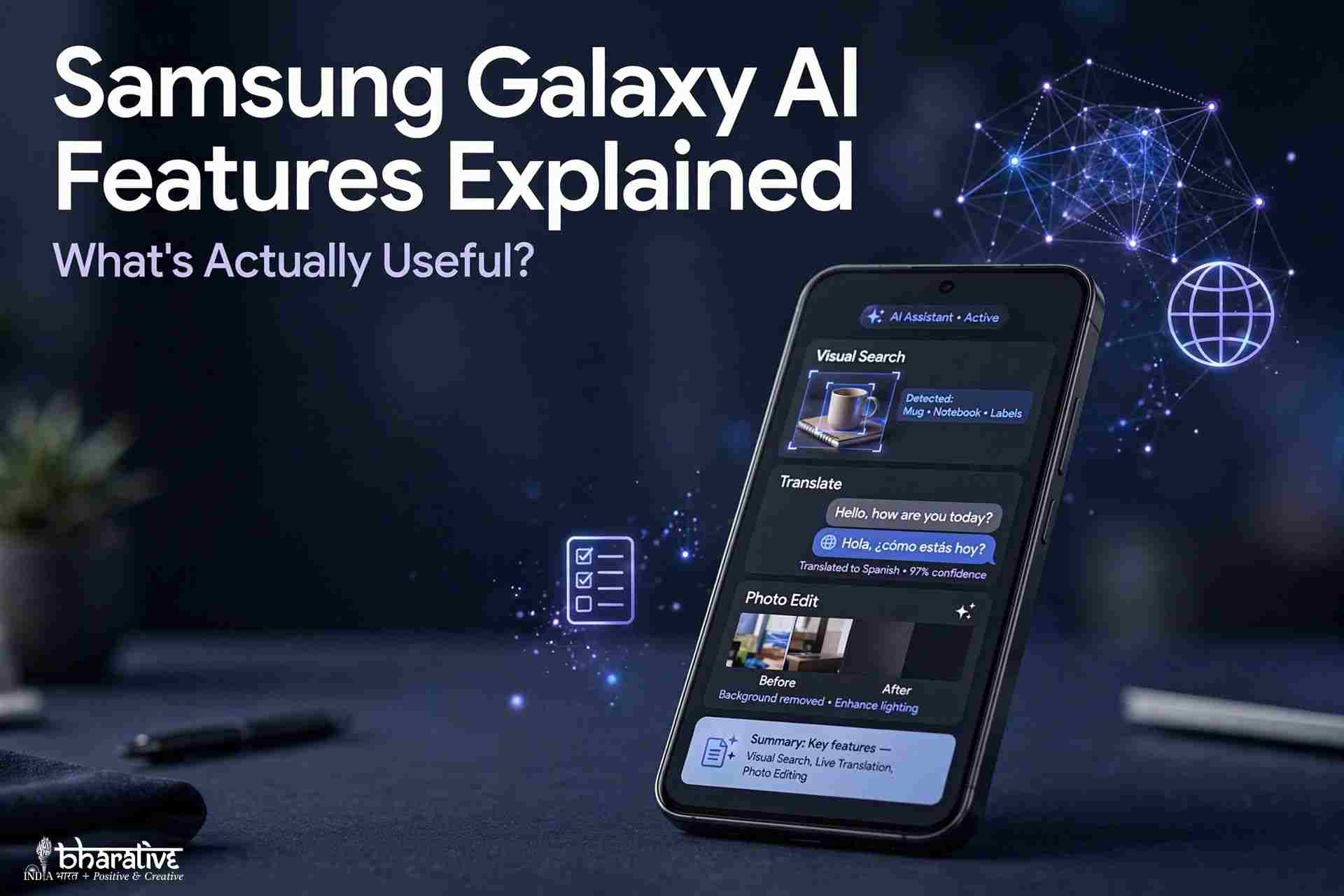
Samsung calls its latest Galaxy smartphones AI-powered devices, and Galaxy AI has become a major part of the company’s marketing. From AI photo editing and real-time translation to smart summaries and contextual suggestions, Samsung has introduced a growing collection of features designed to make everyday smartphone use easier.
But here’s the question that matters: Which Samsung Galaxy AI features are genuinely useful, and which ones are more impressive in advertisements than in real life?
The answer is mixed. Some features, such as Circle to Search, Transcript Assist, Live Translate, and Photo Assist, can save time and make everyday tasks easier. Others are useful only in specific situations, while a few feel more like experimental extras than essential smartphone tools.
In this guide, we’ll explain the most important Samsung Galaxy AI features, how they work, which ones deserve your attention, and what to consider before buying a Galaxy phone for its AI capabilities.
What Is Samsung Galaxy AI?
Galaxy AI is Samsung’s umbrella name for a collection of artificial intelligence features integrated into its Galaxy smartphones and One UI software.
Introduced alongside the Galaxy S24 series in early 2024, the platform has expanded to include tools for searching, translating, writing, editing photos, summarizing information, recording conversations, and assisting with everyday tasks.
Galaxy AI is not a single application. Instead, its features appear throughout the phone’s camera, keyboard, browser, voice recorder, notes application, phone app, and system interface.
Some features use on-device processing, meaning supported tasks can be handled directly on your phone. Others rely on cloud-based processing or an internet connection. The exact requirements depend on the feature, device, language, and software version.
The Galaxy S26 generation represents a further step in Samsung’s AI strategy, with more advanced contextual assistance and deeper integration with AI assistants. However, not every Galaxy AI feature is available on every Samsung smartphone.
The important thing to remember is that the value of Galaxy AI depends less on the number of features Samsung advertises and more on whether those features solve problems you encounter regularly.
Which Samsung Phones Support Galaxy AI?
Galaxy AI is available across a range of Samsung devices, including flagship Galaxy S smartphones, foldable devices, and selected mid-range models.
The amount of functionality varies by model, hardware, software version, region, and language support.
| Samsung device category | General Galaxy AI experience |
|---|---|
| Galaxy S26 series | Newest AI capabilities, with model-specific differences |
| Galaxy S24 and S25 series | Broad selection of Galaxy AI tools |
| Galaxy Z Fold and Z Flip series | Many AI features, depending on generation |
| Selected Galaxy A series | Core AI features, with some limitations |
| Older Galaxy S series | Selected features through compatible software updates |
| Selected Galaxy M series | More limited AI functionality, depending on model |
These categories are a general guide, not a guarantee that every listed feature will work on every device. Some functions require newer processors, while others depend on One UI updates or regional availability.
Before purchasing a phone specifically for Galaxy AI, check Samsung’s official specifications for the exact model and region you intend to buy.
The Most Useful Samsung Galaxy AI Features
These are the Galaxy AI tools most likely to make a noticeable difference in everyday use.
1. Circle to Search: The Feature You’ll Probably Use Most
<text>Verdict: Highly useful for everyday searching.</text>
Circle to Search allows you to search for something displayed on your phone screen without leaving the application you’re using.
Depending on your device and software version, you can circle, highlight, or tap an object, image, or piece of text to start a search. Google then attempts to identify the item or provide relevant information.
Imagine you’re watching a YouTube video and notice a pair of shoes you like. Instead of taking a screenshot, opening a browser, and describing the shoes manually, you can use Circle to Search to look for similar products.
You can also use it to identify objects, explore unfamiliar landmarks, find information about text, or learn more about something you see on social media.
Newer implementations support more advanced visual searching, including identifying multiple objects in supported scenarios.
Why it’s useful: It reduces the number of steps between seeing something interesting and finding more information about it.
The limitation: Results depend on image quality, search accuracy, and the information available online. Unusual objects or unclear images can produce disappointing results.
For most people, Circle to Search is one of the easiest Galaxy AI features to understand and use regularly.
2. Transcript Assist: Turn Recordings Into Text
<text>Verdict: One of the strongest productivity features.</text>
Transcript Assist can convert supported voice recordings into written transcripts. Depending on the device and software version, it can also identify different speakers, summarize the conversation, and translate the resulting text.
This is particularly useful for students, journalists, professionals, and anyone who regularly attends meetings or interviews.
For example, a student could record a lecture and review the transcript later instead of relying entirely on handwritten notes. A professional could use a supported recording to create a written summary of a meeting and identify important discussion points.
The ability to summarize a long recording can also reduce the time needed to find key information.
However, transcription quality depends on several factors, including background noise, microphone quality, accents, overlapping conversations, and language support.
AI-generated transcripts should not automatically be treated as perfect records. Important names, figures, technical terms, and decisions should be checked against the original recording.
Why it’s useful: It can save considerable time when reviewing spoken information.
The limitation: Noisy environments and multiple people speaking simultaneously can reduce accuracy. Always consider consent, workplace rules, and local laws before recording conversations.
3. Live Translate: Communicate Across Language Barriers
<text>Verdict: Excellent for people who regularly communicate across languages.</text>
Live Translate is designed to help people communicate when they speak different languages.
On supported devices and in supported languages, it can translate both sides of a phone conversation, displaying translated text and potentially speaking the translation aloud. Related translation tools can assist with messages and other supported communication tasks.
Imagine travelling abroad and needing to communicate with someone who does not speak your language. Real-time translation can make the conversation easier without requiring you to switch constantly between separate translation applications.
It can also be helpful for people working with international clients, communicating with relatives overseas, or learning another language.
The feature is not equally valuable to everyone, though. If most of your daily conversations already take place in a language you understand, you may rarely need it.
Why it’s useful: It reduces communication barriers when interacting with people who speak other languages.
The limitation: Translation quality varies by language pair, accent, speech clarity, and context. Some languages and functions may require an internet connection or have regional restrictions.
For frequent travellers and multilingual users, Live Translate can be one of Galaxy AI’s most meaningful features.
4. Photo Assist: Edit Pictures With AI
<text>Verdict: Very useful for casual photographers and social media creators.</text>
Photo Assist brings AI-powered editing tools into the Samsung photo experience.
Depending on your device and software version, supported functions may allow you to remove unwanted objects, reposition subjects, adjust image composition, or generate missing parts of a picture.
For example, if a stranger walks into the background of your holiday photo, AI editing may help remove them. You might also be able to move an object slightly or change parts of the scene without using a separate desktop editing application.
These tools are especially convenient for people who regularly post photographs on Instagram, Facebook, or other social platforms.
The biggest advantage is accessibility. You do not need to understand advanced photo-editing software to make basic changes.
However, AI editing has limitations. Complicated backgrounds, detailed patterns, reflections, and crowded scenes can produce visible visual errors. Generated content may also differ from what was actually present in the original photograph.
Why it’s useful: It makes common photo-editing tasks easier to perform directly on your phone.
The limitation: Results can look artificial when the edit is too complicated or the AI misunderstands the scene.
For casual photography, Photo Assist can be genuinely useful. For professional work, important images should still receive careful human review.
5. Now Brief: A Personalized Daily Summary
<text>Verdict: Useful if it fits your routine.</text>
Now Brief is designed to bring relevant information together in a personalized overview.
Depending on the device, supported services, and settings, this may include weather information, calendar events, reminders, reservations, and other details that help you prepare for the day.
The idea is simple: instead of opening several applications every morning, you can check one summary to see what may require your attention.
For people with busy schedules, this can reduce the effort involved in checking calendars, notifications, and other sources of information.
However, the usefulness of a personalized summary depends on the information available to the system and the applications you use.
If your routine relies heavily on supported Samsung services, the feature may have more context to work with. If your calendar, email, and other services are spread across different platforms, some information may not be available or integrated as expected.
Why it’s useful: It can make daily planning more convenient by bringing relevant information together.
The limitation: It may need time and sufficient supported data to become useful, and it may not integrate equally well with every application or service.
Now Brief is worth trying if you like having an organized overview of your day, but it should not be the main reason you choose a phone.
6. AI Call Screening: Help Manage Unknown Calls
<text>Verdict: Potentially useful for people who receive frequent spam calls.</text>
AI call-screening features can help users handle calls from unknown numbers.
Depending on the model and software version, a supported feature may interact with the caller, present information about the call, or provide a transcription that helps you decide whether to answer.
This can be useful when you receive frequent unsolicited calls or want to avoid interrupting your work for every unfamiliar number.
However, availability and capabilities vary by device, region, and software implementation. Do not assume that every Galaxy phone includes the same screening features.
There is also a practical concern: legitimate callers may be unfamiliar with automated screening and may hang up before explaining why they called.
Why it’s useful: It can help you make more informed decisions about unfamiliar calls.
The limitation: Regional support and caller reactions can affect how well it works.
If spam calls are a recurring problem, check whether your specific Samsung model supports the relevant call-screening functionality.
Galaxy AI Features That Are Useful in Certain Situations
Not every feature needs to be used every day to be valuable. Some tools are particularly helpful when they match a specific habit or workflow.
7. Writing Assist: Improve Messages and Emails
Writing Assist helps refine text by offering features such as grammar correction, tone adjustment, and rewriting.
Depending on the supported application and device, you may be able to make a message sound more professional, shorten a long passage, or adjust the wording for a particular situation.
For example, if you’re replying to a client from your phone, Writing Assist may help turn a quick draft into a more polished message.
It can also help people who communicate in a second language or find writing on a small keyboard challenging.
However, the feature may be unnecessary for casual conversations. Many people already write short messages comfortably without AI assistance.
Best for: Professionals, students, multilingual users, and anyone who frequently writes messages on their phone.
Main limitation: AI-generated wording can sound generic or change the intended meaning, so review important messages before sending them.
8. Document Scan: Create Cleaner Digital Documents
Document scanning is a practical feature that can detect a page through the camera and help produce a more readable digital copy.
Depending on the device and camera software, automatic processing may correct perspective, improve clarity, and make the document easier to save or share.
This is useful for digitizing receipts, forms, notes, and other paper documents without needing a separate scanner.
If you only scan documents occasionally, you may not think about this feature very often. But when you need it, having it built into the phone can be convenient.
Best for: Students, office workers, small-business owners, and anyone who regularly handles paper documents.
Main limitation: Poor lighting, curved pages, shadows, and very small text can still affect scan quality. Always verify important details in the resulting file.
9. Note Assist: Organize Notes More Efficiently
Note Assist works with supported Samsung Notes features to help organize and refine written material.
Depending on the device and software version, it may format notes, generate summaries, correct spelling, translate content, or help convert supported handwriting into typed text.
For students, this can be useful after a lecture. For professionals, it may help turn rough meeting notes into a more organized document.
The main advantage is that the tool works within a note-taking workflow instead of requiring you to copy everything into another application.
However, its value depends heavily on whether you use Samsung Notes. If your notes are stored in Google Keep, Notion, or another service, you may not benefit as much.
Best for: Students, professionals, writers, and regular Samsung Notes users.
Main limitation: It may not fit workflows built around other note-taking applications, and generated summaries should be checked for missing or altered details.
10. Browsing Assist: Summarize Long Articles
Browsing Assist is designed to help users understand web content more quickly.
In supported versions of Samsung Internet, it can summarize articles and assist with translation, making it easier to identify the main points before reading an entire page.
This can be particularly helpful when researching a topic on your phone or reviewing lengthy online articles.
For example, you might want a quick overview of a report before deciding whether to read the full document.
The main drawback is that the feature is tied to supported browser functionality. If you primarily use another browser, you may not have access to the same tools.
Best for: Students, researchers, professionals, and people who read lengthy articles on their phones.
Main limitation: Summaries can omit important context, so read the original source when accuracy or detail matters.
Galaxy AI Features That May Be Overhyped
Some Galaxy AI features can be entertaining or impressive without being essential. Their value depends on your interests and how often you use them.
11. Creative Studio: AI Images, Stickers, and Wallpapers
Creative Studio offers creative tools for transforming images, generating artwork, and producing items such as stickers or wallpapers, depending on the supported device and software version.
These features can be fun if you enjoy experimenting with digital art or customizing your phone.
You might turn a photograph into a stylized illustration, create a wallpaper, or generate an image for personal use.
The problem is that AI image generation is available through many other services, including dedicated creative applications and online tools. Samsung’s implementation may be convenient, but it is not necessarily a unique reason to choose a Galaxy device.
My verdict: Enjoyable for creative experimentation, but not essential for most users.
12. Now Nudge: Context-Aware Assistance
Now Nudge represents a more ambitious approach to smartphone AI. Rather than waiting for you to open a specific tool, contextual assistance aims to identify relevant information and suggest useful actions at appropriate moments.
For example, when a conversation mentions plans, a supported feature might suggest checking your calendar. When someone asks for photographs from a recent event, it might help surface relevant images.
When this kind of assistance works well, it can reduce the number of steps needed to complete everyday tasks.
However, contextual AI needs to understand what you mean and when a suggestion is appropriate. Incorrect assumptions, irrelevant prompts, and inconsistent results can make such features less useful.
Availability also depends on compatible hardware, software, and regional support.
My verdict: A promising direction for smartphone AI, but evaluate its reliability in everyday use rather than relying on demonstrations.
13. ProScaler: Improve the Appearance of Some Content
ProScaler is a display-processing feature designed to improve the appearance of lower-resolution content on supported devices.
The aim is to make compatible images or video look sharper without requiring the original content to be streamed at a higher resolution.
Because this type of processing works in the background, you may not interact with it directly.
Whether you notice an improvement depends on the original content, display settings, device model, and implementation.
My verdict: A potentially helpful background enhancement, but not a feature most people should prioritize when choosing a phone.
14. Privacy Display: A Specialized Feature for Sensitive Situations
Privacy Display is a hardware-related display feature associated with the Galaxy S26 Ultra in the source material. It is designed to reduce the visibility of screen content from certain viewing angles, with supported controls for how and when the effect is applied.
This can be useful when checking sensitive information in public places, travelling on public transport, or working in a shared environment.
Unlike a conventional privacy screen protector, an integrated solution may allow more flexible control. Exact functionality depends on the supported device and settings.
My verdict: Potentially valuable for people who regularly work with sensitive information in public. For everyone else, it may be a useful extra rather than an essential feature.
Samsung Galaxy AI Privacy: Is Your Data Safe?
Privacy is an important consideration when using AI features on a smartphone.
Some Galaxy AI tools can process information directly on the device, while others may require cloud processing. This distinction matters because it affects where information is handled and whether an internet connection is needed.
Samsung also offers security technologies such as Samsung Knox and, on supported devices, Knox Vault. These technologies contribute to the device’s wider security architecture, but they should not be interpreted as a guarantee that every AI interaction is processed locally.
Before using an AI feature with private or sensitive information, consider the following:
- Check processing settings: Review the available Galaxy AI settings to understand whether supported functions use on-device or cloud processing.
- Read the privacy terms: Understand what data a feature may collect, process, or transmit.
- Be careful with sensitive content: Avoid submitting confidential work information or personal details unless the service is approved for that use.
- Keep software updated: Install security updates when they become available for your device.
- Review permissions: Check which applications and services can access your information.
Samsung’s on-device processing options can be useful for privacy-conscious users. However, privacy settings and processing methods vary by feature and software version, so it is worth checking the details rather than assuming that all Galaxy AI tools work the same way.
Does Samsung Galaxy AI Work Offline?
Some Galaxy AI features can perform supported tasks on the device without an internet connection. Other functions depend on online services or cloud-based processing.
For example, certain on-device operations may remain available offline, while features that require online translation services, cloud processing, or internet searches may need a connection.
Offline availability can also depend on whether the required language resources have been downloaded and whether the phone supports the feature.
If offline use is important to you, check the settings and requirements of the specific tools you plan to use. Do not assume that every Galaxy AI feature will work without mobile data or Wi-Fi.
Galaxy AI on Older Samsung Phones: Do You Need the Latest Model?
You do not necessarily need the newest Samsung flagship to benefit from Galaxy AI.
Samsung has expanded selected AI features to older Galaxy S devices and compatible mid-range models through software updates. However, support differs by phone, and some of the newest capabilities require hardware that older devices do not have.
In general:
- Galaxy S24 and S25 series: Offer a broad collection of Galaxy AI tools, subject to model and software differences.
- Galaxy S23 and selected older flagship devices: May support many features through compatible updates, but some newer tools may be unavailable or limited.
- Selected Galaxy A devices: Can provide access to useful core features, although the full flagship experience may not be available.
- Galaxy S26 series: Offers access to the newest generation of features, with certain capabilities reserved for specific models.
The key question is not simply whether a phone supports Galaxy AI. It is whether it supports the particular features you intend to use.
If you mainly want Circle to Search, translation, or basic writing assistance, a compatible older or mid-range phone may be sufficient. If you want the newest hardware-dependent features, a newer flagship may be necessary.
Check Samsung’s official compatibility information before making a purchasing decision.
Samsung Galaxy AI vs. Apple Intelligence
Samsung Galaxy AI and Apple Intelligence both aim to make smartphones more helpful through AI-powered writing tools, image editing, summaries, and contextual assistance. However, their features, supported devices, and implementation differ.
| Area | Samsung Galaxy AI | Apple Intelligence |
|---|---|---|
| Visual search | Circle to Search, powered by Google | Visual Intelligence and related Apple features |
| Photo editing | Photo Assist and supported AI editing tools | Tools such as Clean Up on compatible devices |
| Writing assistance | Writing Assist | Writing Tools |
| Summaries and notes | Tools such as Now Brief and Note Assist, depending on support | Supported system and app-based summaries |
| Translation | Live Translate and supported translation tools | Apple’s supported translation features |
| Privacy approach | A mix of on-device and cloud processing, depending on the feature | On-device processing and supported private cloud services |
| Device support | Selected Galaxy S, Z, A, and other compatible models | Compatible iPhone, iPad, and Mac models |
Neither platform is automatically better for everyone.
Galaxy AI may appeal to users who want flexible Android features and Google’s visual-search integration. Apple Intelligence may be a better fit for people already invested in Apple’s ecosystem.
The best choice depends on your existing devices, preferred applications, privacy requirements, and the specific AI tools you expect to use.
Which Samsung Phone Offers the Best Galaxy AI Experience?
The best phone depends on your budget and which features matter most to you.
Best for the Full Galaxy AI Experience: Galaxy S26 Ultra
The Galaxy S26 Ultra is the option to consider if you want access to the newest supported Galaxy AI capabilities and premium hardware.
It is aimed at users who want advanced camera features, high-end performance, and model-specific tools such as Privacy Display.
However, buying the most expensive phone is not necessary for everyone. Many everyday AI tasks can be handled by more affordable compatible devices.
Best Value for Core AI Features: Galaxy A56 5G
The Galaxy A56 5G is a mid-range option to investigate if your priority is access to useful AI tools without paying flagship prices.
Depending on its regional software and supported feature set, it may provide access to several core Galaxy AI-related functions, such as visual search, writing assistance, translation, or supported productivity tools.
Before buying, confirm the exact feature list for the model available in your country.
A More Affordable Option: Selected Galaxy M Models
Some Galaxy M devices provide access to a more limited selection of AI features. These phones may suit users who mainly want everyday smartphone functions and a few convenient AI tools.
However, support varies considerably by model, so check compatibility carefully rather than assuming that every Galaxy M phone offers the same experience.
Buying Advice for Bangladesh
If you are buying a Samsung phone in Bangladesh, compare the official regional specifications, warranty, software support, and current price before deciding.
Grey-market or imported devices may have different regional software configurations, warranty arrangements, or feature availability. Buying from an authorized seller can help you confirm the device’s origin and warranty coverage.
Prices change frequently, so check the current listings at an authorized retailer or the official Samsung sales channel before purchasing.
Frequently Asked Questions About Samsung Galaxy AI
Is Samsung Galaxy AI free?
Samsung has stated that core Galaxy AI features will remain free, according to announcements referenced in early 2026. However, future terms, third-party services, and individual feature requirements can differ. Check Samsung’s current terms for the device and service you use.
Which Galaxy AI features are the most useful?
For many users, Circle to Search, Transcript Assist, Live Translate, and Photo Assist are among the most practical features. Writing Assist, Note Assist, document scanning, and Browsing Assist can also be useful if they fit your routine.
Does Galaxy AI work on older Samsung phones?
Selected older Galaxy devices support some Galaxy AI features through compatible software updates. Not every feature is available on every model, and newer hardware-dependent tools may remain exclusive to newer phones.
Does Galaxy AI require an internet connection?
Some functions can work on-device, while others require an internet connection or cloud processing. Requirements vary by feature, language, device, and settings.
Is Galaxy AI safe for private information?
The privacy implications depend on the feature and how it processes data. Some tasks can run on-device, while others may use cloud services. Review the relevant settings and privacy terms before using sensitive information.
Is Galaxy AI better than Google Gemini?
They are not exactly the same kind of product. Galaxy AI refers to Samsung’s broader collection of AI features integrated into the phone, while Gemini is Google’s AI assistant and model family. Depending on the device and integration, they can complement each other.
Should I buy a Samsung phone just for Galaxy AI?
Usually, you should consider the complete phone rather than AI features alone. Battery life, camera quality, performance, display, software support, and price remain important. Galaxy AI is a meaningful bonus if its specific features solve problems you encounter regularly.
Final Verdict: Which Galaxy AI Features Are Actually Worth Using?
Samsung Galaxy AI is more than a marketing label, but not every feature is equally valuable.
The tools most likely to make a real difference in everyday life are:
- Circle to Search: Quickly find information about objects, images, and text on your screen.
- Transcript Assist: Turn supported recordings into transcripts and summaries.
- Live Translate: Help communicate across language barriers.
- Photo Assist: Make common photo-editing tasks easier.
- Now Brief: Bring supported daily information together in a personalized summary.
- AI call screening: Help manage unfamiliar calls where supported.
Other tools, such as Writing Assist, Note Assist, Document Scan, and Browsing Assist, are valuable when they match your habits. Creative Studio and contextual assistance can be interesting, but they may not be essential for most users.
The good news is that you do not necessarily need the most expensive Samsung flagship to benefit from useful AI features. Several compatible devices offer a selection of practical tools, although the newest and most hardware-intensive capabilities may require a recent flagship.
My advice is simple: choose a Samsung phone for the overall device, then treat Galaxy AI as a collection of tools to explore—not a reason to upgrade by itself. Check which features your phone supports, test the ones that fit your routine, and pay attention to privacy settings when handling personal or sensitive information.
When AI saves you time, helps you communicate, or makes an everyday task easier, it earns its place on your phone. The features you never use are just extras.
You may also like ...