
Types of Laptop Chargers Explained: A Complete Guide for Beginners
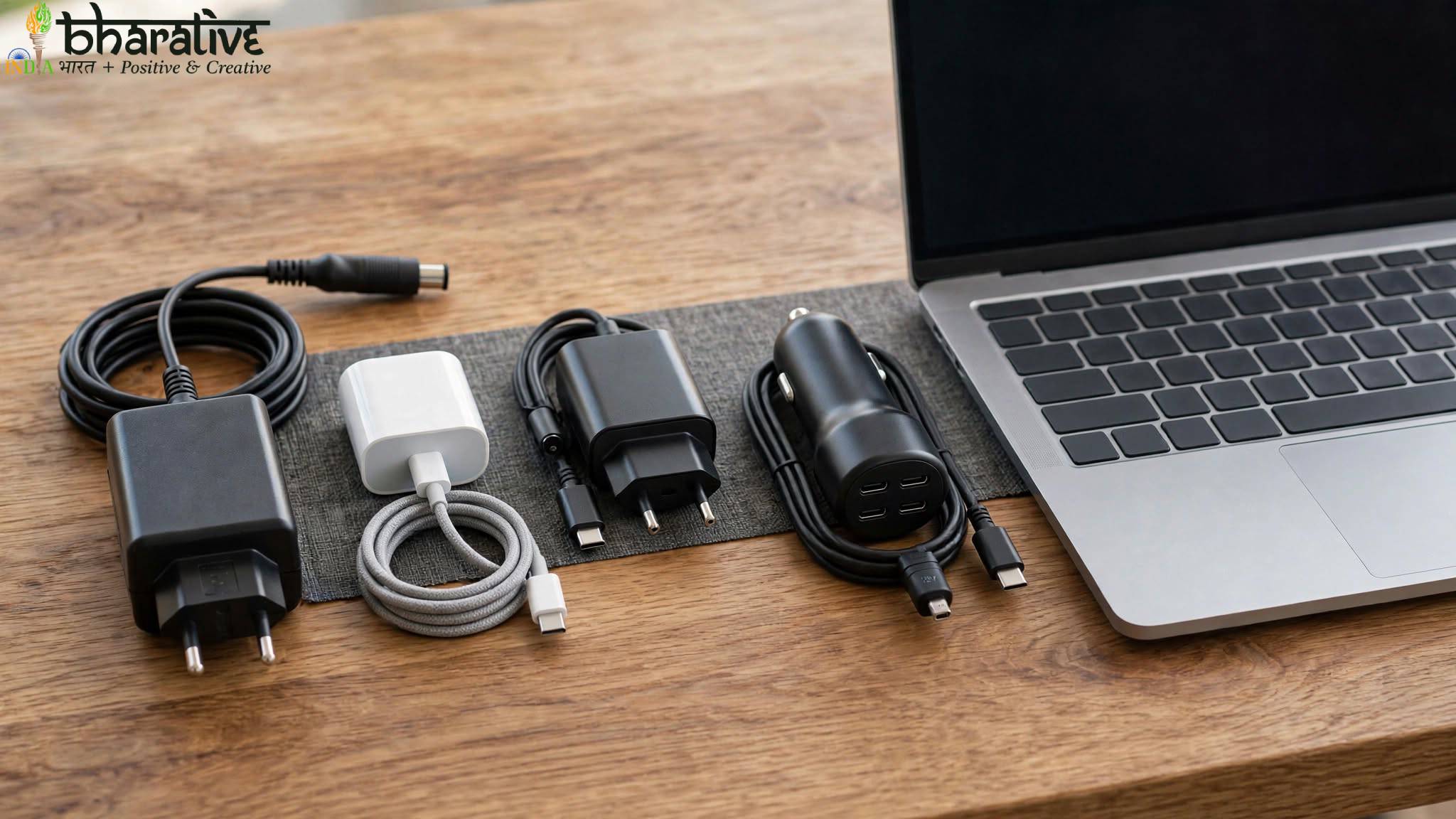
Laptop chargers may look similar at first glance, but they are not all designed to work in the same way. Different laptops require different charging connectors, power levels, voltages, and wattages. Choosing the wrong charger can result in slow charging, compatibility problems, or, in some cases, damage to your device.
From traditional AC adapters to modern USB-C chargers, universal adapters, and car charging solutions, there are several options available today. Understanding the different types of laptop chargers can help you choose the right power solution for your device.
This beginner-friendly guide explains the most common laptop charger types, how they work, and what you should check before purchasing a replacement charger.
Different Types of Laptop Chargers
Laptop chargers come in different designs depending on the laptop’s charging technology and power requirements.
The most common types include:
- Traditional AC adapters
- USB-C laptop chargers
- Universal laptop chargers
- Car laptop chargers
- Wireless charging solutions for compatible devices
Let’s look at each option in more detail.
1. Traditional AC Adapter
The traditional AC adapter is one of the most common types of laptop chargers. Most laptops have historically used a dedicated charging connector designed specifically for that manufacturer or laptop series.
The adapter takes electricity from a wall outlet and converts it into the type of power required by the laptop.
Key Features
AC to DC Power Conversion
Wall outlets provide alternating current (AC), while laptops typically require direct current (DC). The adapter converts the electricity into the appropriate form before delivering it to the laptop.
Different Power Ratings
Laptop chargers are available in different wattages. Many standard laptops use chargers in ranges such as 45W, 65W, or 90W, while high-performance and gaming laptops may require significantly more power.
Model-Specific Connectors
Traditional chargers often use connectors designed for specific brands or laptop models. This means a charger that physically fits one laptop may not necessarily be electrically compatible with another.
How Does an AC Adapter Work?
You connect the adapter to a wall outlet and plug the charging connector into your laptop.
The adapter converts and regulates the incoming electricity before supplying power to the laptop. Depending on the laptop and charger, the device may charge while you continue working.
2. USB-C Laptop Chargers
USB-C charging has become increasingly common in modern laptops. USB-C chargers are compact and can support power delivery for many compatible laptops, tablets, smartphones, and other devices.
However, not every USB-C port supports charging, so it is important to check your laptop’s specifications.
Key Features
Compact and Portable
USB-C chargers are often smaller and easier to carry than traditional laptop power adapters.
USB Power Delivery
Compatible USB-C chargers can provide different levels of power depending on the charger, cable, and device requirements.
Modern USB-C Power Delivery technology can support significantly higher power levels than older USB standards.
Multi-Device Compatibility
A suitable USB-C charger may be able to charge multiple compatible devices, including:
- Laptops
- Tablets
- Smartphones
- Portable monitors
- Other USB-C accessories
How Does a USB-C Charger Work?
The charger connects to a compatible USB-C charging port on your laptop.
The device and charger communicate to determine an appropriate power level. This is why using a high-quality charger and cable that support the required specifications is important.
3. Universal Laptop Chargers
Universal laptop chargers are designed to work with multiple laptop models and brands.
Many of these chargers include interchangeable connector tips, allowing users to select a tip that matches their laptop’s charging port.
Key Features
Multiple Connector Tips
Universal chargers often come with several interchangeable tips for different devices.
Adjustable or Multiple Power Settings
Some universal chargers are designed to support different voltage or power requirements. However, users should always confirm that the charger matches their laptop’s official specifications.
Useful as a Replacement
These chargers can be useful when the original charger is lost or damaged, especially when finding the exact manufacturer replacement is difficult.
How Does a Universal Charger Work?
You select the appropriate connector tip and connect it to your laptop.
Before using a universal charger, check:
- Voltage requirements
- Wattage requirements
- Connector compatibility
- Manufacturer recommendations
Never assume that a charger is safe simply because its connector fits your laptop.
4. Car Laptop Chargers
A car laptop charger can be useful for people who travel frequently or need to work while away from traditional power outlets.
These chargers use the vehicle’s power system to provide electricity for compatible laptops.
Key Features
Designed for Travel
Car chargers can be useful during road trips, business travel, and long journeys.
Vehicle Power Compatibility
Many options connect through a vehicle’s 12V power outlet or use an appropriate power inverter.
Portable Charging Solution
They provide an alternative when a standard wall outlet is unavailable.
How Does a Car Laptop Charger Work?
The charger connects to the vehicle’s power outlet and converts the available power into a form suitable for the laptop.
Some users may also use a power inverter that converts vehicle power into an AC outlet for a standard laptop charger.
Always make sure the charging equipment is rated appropriately for your laptop’s power requirements.
5. Wireless Laptop Charging
Wireless charging is common for smartphones and smaller accessories, but full wireless charging for laptops is still relatively uncommon.
Some specialized devices and charging technologies support wireless power solutions, but most laptops continue to rely on wired charging because laptops require significantly more power.
Key Features
Reduced Cable Clutter
Wireless technology can reduce the number of physical cables required for compatible devices.
Convenient Charging Experience
Compatible devices may charge through specially designed charging surfaces or systems.
Limited Compatibility
Wireless laptop charging is not a standard feature across most laptops.
How Does Wireless Charging Work?
Wireless charging generally uses electromagnetic induction or other wireless power technologies to transfer energy between a charging surface and a compatible device.
Because laptops require more power than smartphones, wireless laptop charging systems are less common and may require specialized hardware.
How to Choose the Right Laptop Charger
Before buying a new laptop charger, check several important specifications.
1. Check the Voltage
The charger’s output voltage should match the requirements listed by the laptop manufacturer.
Using an incorrect voltage can create compatibility problems and may potentially damage the device.
2. Check the Wattage
The charger should provide enough power for your laptop.
A charger with insufficient wattage may charge slowly or may struggle to power the laptop during demanding tasks.
3. Check the Connector
Make sure the charging connector is compatible with your laptop.
For USB-C laptops, confirm that the specific USB-C port supports power input.
4. Choose a Reliable Charger
Original manufacturer chargers are generally the safest choice. If you purchase a third-party replacement, choose a reputable product that clearly lists compatibility and safety certifications.
Can You Use a Different Charger for Your Laptop?
Sometimes, yes—but only when the charger is compatible with your laptop.
Important factors include:
- Correct voltage
- Sufficient wattage
- Compatible connector
- Supported charging technology
- Manufacturer recommendations
A charger should never be selected based only on whether the plug physically fits.
What Type of Charger Does an HP Laptop Use?
HP laptops use different charging technologies depending on the model.
Older and many traditional HP laptops use dedicated barrel-style power connectors, while many modern HP laptops support USB-C charging.
The best way to identify the correct charger is to check:
- Your laptop’s model number
- The original charger specifications
- The manufacturer’s official product documentation
USB-C vs Traditional Laptop Chargers
Both charger types have advantages.
USB-C Chargers
USB-C chargers are generally:
- Compact
- Convenient for travel
- Compatible with multiple devices
- Available in different power ratings
Traditional AC Adapters
Traditional adapters are often:
- Designed specifically for a particular laptop
- Common on older devices
- Available with dedicated connectors
- Suitable for laptops with higher or specialized power requirements
The right choice depends entirely on your laptop’s charging design.
Common Mistakes to Avoid
When buying or using a laptop charger, avoid these common mistakes.
Using a Charger With the Wrong Specifications
Always check voltage, wattage, and compatibility.
Buying Only Based on Connector Size
A connector may fit physically while still being electrically incompatible.
Using Poor-Quality Chargers
Cheap or poorly manufactured chargers may provide unstable power and could create safety or reliability concerns.
Ignoring USB-C Power Requirements
Not every USB-C charger provides enough power for every laptop. Check the wattage and USB Power Delivery support before purchasing.
Frequently Asked Questions
Can I use a different charger for my laptop?
Yes, but only if the charger is compatible with your laptop’s required voltage, wattage, connector, and charging technology.
Are all USB-C laptop chargers the same?
No. USB-C chargers can support different power levels and charging standards. A USB-C connector alone does not guarantee compatibility.
Can a low-watt charger charge my laptop?
It may charge slowly, fail to charge during heavy use, or be unable to provide enough power depending on your laptop’s requirements.
Is a universal laptop charger safe?
A universal charger can be safe when it is properly matched to the laptop’s voltage, wattage, connector, and manufacturer specifications.
How do I find the correct replacement charger?
Check the original charger label, your laptop model number, and the manufacturer’s official specifications.
Conclusion
Understanding the different types of laptop chargers makes it easier to choose the right power solution for your device.
Traditional AC adapters remain common, while USB-C charging offers greater flexibility and portability for many modern laptops. Universal chargers can provide convenient replacement options, and car chargers can be useful for people who travel frequently.
Before purchasing any charger, always check your laptop’s official power requirements. The correct voltage, wattage, connector, and charging technology are essential for safe and reliable charging.
Choosing the right charger helps keep your laptop powered, protects its battery, and ensures dependable performance for everyday work, study, and entertainment.
You may also like ...